
Make space
Your desk, extended.
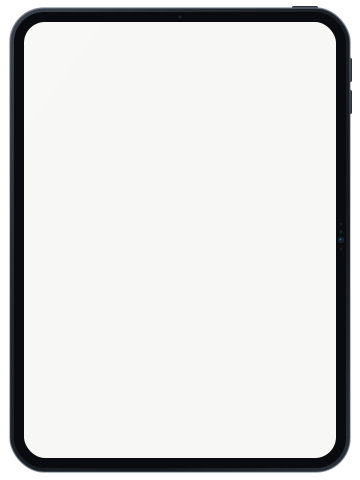
Move a window onto your iPad and keep working on your Mac. Or mirror your display when you want the same view on both screens.
YOUR IPAD. YOUR NEXT DISPLAY.
Turn your iPad into a second display for your Mac, or the main screen for a headless Mac mini. Work at your desk over USB or Wi-Fi, or connect across networks with VPN/Tailscale.
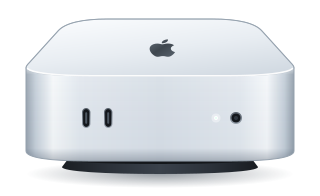
Meet your headless Mac mini setup
macOS 14+ · iPadOS 17+ · Mac companion required
Make room for something else.
SMALL MAC. COMPLETE WORKSPACE.
Give your Mac mini a screen you already own. AeroDisplay creates a virtual display so your iPad can be the main display when no physical monitor is connected. Keep the compact setup at your desk, or reach it over a configured VPN.
Set up a headless MacComplete the initial setup and permissions on Mac first. The Mac must be awake, signed in to macOS, and running AeroDisplay. It cannot unlock FileVault before macOS starts.
WHY AERODISPLAY
A headless Mac mini workspace. A portrait display for reading. Touch, Apple Pencil, and Mac audio on iPad. Choose the setup that fits your work, with USB, local Wi-Fi, or VPN/Tailscale connectivity.
Move a window onto your iPad and keep working on your Mac. Or mirror your display when you want the same view on both screens.
Use touch and Apple Pencil to interact with your Mac. Choose a direct-touch or trackpad-style workflow that suits the task.
Bring Mac system audio to your iPad along with the display. Keep a video, a preview, or your workspace close at hand.
Use your iPad vertically for documents, code, and long pages, or horizontally for a wider workspace. In Extend mode, the virtual display adapts to your iPad’s orientation.
AT A GLANCE
More flexible than built-in Sidecar, far simpler and more affordable than pricey subscriptions or extra hardware.
| Feature |  AeroDisplay AeroDisplay | Apple Sidecar | Other Apps |
|---|---|---|---|
| Headless Mac mini (no monitor) | Yes, primary virtual display | No (requires physical screen) | Complex setup or hardware dongle |
| Different Apple Accounts | Free (e.g. work Mac + personal iPad) | Must share the exact same Apple ID | Separate third-party account |
| Remote VPN / Tailscale | Yes, native direct connection | Local Wi-Fi only (within ~10m) | Expensive tier required |
| Portrait & Landscape orientation | Yes, adapts dynamically | Landscape only | Yes |
| Finger touch on macOS | Yes, direct finger touch & window drag | Pencil only (no finger tap on Mac UI) | Yes |
| Mac system audio streaming | Yes, audio plays on iPad | No | Paid tier only |
| Pricing & subscriptions | Affordable ($3.99/mo, $29.99/yr) + Lifetime option | Free (ecosystem locked) | Expensive subscriptions ($30–$100+/yr) or separate hardware |
*Apple Sidecar is a built-in macOS and iPadOS feature.
YOUR WORKSPACE, YOUR CONNECTION.
Plug in at your desk, move freely on local Wi-Fi, or reach your Mac across networks through VPN/Tailscale. Three ways to bring your workspace to iPad.
VPN/Tailscale is a separate service and needs its own setup. Device access rules and firewalls must allow the connection. Internet speed, distance, and VPN relays affect latency and quality.
Frame rate and latency depend on your devices, resolution, connection, and workload. 120 Hz requires Pro, a compatible ProMotion iPad, and USB; it is not a guaranteed sustained frame rate.
THREE STEPS TO A LITTLE MORE SPACE.
You’ll need AeroDisplay on iPad and the companion app on your Mac.
A data-capable USB cable, a shared local Wi-Fi network, or a configured VPN/Tailscale connection.
Extend or mirror, arrange your displays, then put that extra screen to work.
macOS 14 or later and iPadOS 17 or later. A data-capable cable for USB, or a shared local network for Wi-Fi. Apple Pencil features require compatible hardware. VPN/Tailscale is a separate service and needs its own setup. Device access rules and firewalls must allow the connection. Internet speed, distance, and VPN relays affect latency and quality.
YOUR WORK STAYS YOUR WORK.
Your display and audio stream between your paired Mac and iPad. AeroDisplay does not route that content through an AeroDisplay cloud relay. Pairing credentials are kept in the system Keychain.
Read our privacy policyNo AeroDisplay account required. No advertising SDKs.Yes, after initial setup. With no physical monitor attached, AeroDisplay creates a virtual main display for your iPad. Your Mac must be awake, signed in to macOS, and running the companion with the required permissions. It cannot show or unlock the FileVault pre-boot screen.
Yes. Use portrait or landscape on iPad. In Extend mode, the virtual display follows the iPad’s orientation, making portrait useful for documents, code, and long pages. Mirror mode follows the selected source display’s layout.
Yes, with a configured network that lets the devices reach each other. Connect using the Mac’s VPN address or an available saved Tailscale route. Install and configure the VPN separately; AeroDisplay does not include a VPN subscription. Remote performance depends on your network and route.
Yes. The Mac companion captures your display and sends it to AeroDisplay on iPad. Both apps are needed for a working setup.
Yes. Extend adds room for separate windows; mirror shows the selected Mac display on your iPad.
Pro unlocks USB streaming and up to 120 Hz on compatible ProMotion iPads over USB. Available plans and regional prices are shown in the app before purchase.
A local USB or same-network Wi-Fi display session does not need an AeroDisplay cloud relay. Internet access may be needed for downloads, purchases, restoring purchases, or an optional remote-network service.

Your Mac and iPad already belong together. Make the most of both.
Get started